
Все промпты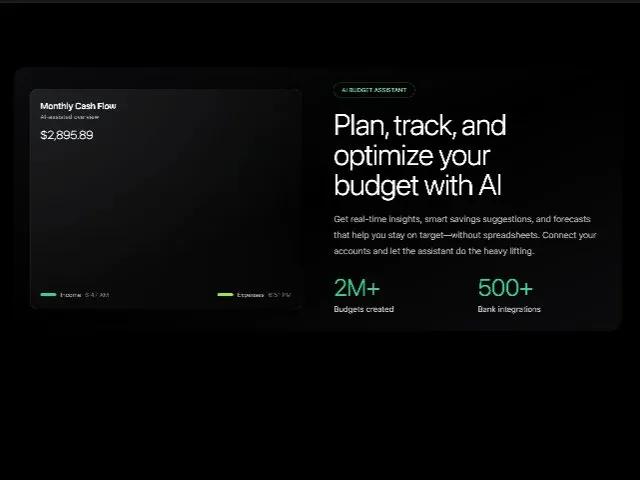 Все промпты
herolandingtailwindchartjsdashboardfinancialresponsiveanimatedmarketing
AI Budget Hero Section with Chart.js Financial Visuals
Адаптивная секция "Hero" с AI-помощником по бюджету. Визуализация финансов через Chart.js (радар, бар, круговая диаграммы) для финтех-дашбордов.
Prompt
<section class="sm:px-8 sm:mt-32 [animation:fadeSlideIn_0.8s_ease-out_0.1s_both] animate-on-scroll animate max-w-7xl mt-32 mr-auto ml-auto pr-6 pl-6">
  <div class="grid grid-cols-1 lg:grid-cols-12 lg:gap-16 bg-gradient-to-br from-gray-500/10 via-gray-500/0 to-gray-500/10 rounded-3xl pt-8 pr-8 pb-8 pl-8 gap-x-y-12 gap-y-12 items-center" style="position: relative; --border-gradient: linear-gradient(135deg, rgba(255, 255, 255, 0.1), rgba(255, 255, 255, 0)); --border-radius-before: 24px">
    <!-- Left: Visual Panel -->
    <div class="lg:col-span-6">
      <div class="relative">
        <!-- Outer Glow Panel (kept the same visual style) -->
        <section class="bg-[radial-gradient(circle_at_top_left,var(--tw-gradient-stops))] border rounded-2xl pt-5 pr-5 pb-5 pl-5 shadow-xl shadow-black/20 from-slate-200/10 to-slate-800/0 border-white/10">
          <div class="flex items-start justify-between">
            <div class="">
              <h2 class="text-[18px] tracking-tight font-semibold font-geist text-white">Monthly Cash Flow</h2>
              <p class="text-xs font-geist text-white/60">AI-assisted overview</p>
            </div>
          </div>

          <div class="mt-3 text-2xl font-geist font-light tracking-tight text-white" style="">$2,895.89</div>

          <div class="mt-6">
            <div class="h-56 md:h-64">
              <canvas id="radarChart" class="w-full h-full" width="1004" height="512" style="display: block; box-sizing: border-box; height: 256px; width: 502px;"></canvas>
            </div>
          </div>

          <div class="mt-4 flex items-center justify-between text-xs text-white/70">
            <span class="inline-flex items-center gap-2 font-geist">
            <span class="h-1.5 w-8 rounded-full bg-emerald-400"></span> Income
            <span class="font-geist text-white/40">6:47 AM</span>
            </span>
            <span class="inline-flex items-center gap-2 font-geist">
            <span class="h-1.5 w-8 rounded-full bg-lime-400"></span> Expenses
            <span class="font-geist text-white/40">6:51 PM</span>
            </span>
          </div>

          <script>
            (function () {
            if (!window.Chart) return;
            const canvas = document.getElementById('radarChart');
            if (!canvas) return;

            // Destroy existing chart on this canvas if any
            const existing = Chart.getChart(canvas);
            if (existing) existing.destroy();

            const ctx = canvas.getContext('2d');
            const container = canvas.parentElement;
            const height = (container && container.clientHeight) ? container.clientHeight : 256;

            // Local colors
            const gridColor = 'rgba(255,255,255,0.08)';
            const labelColor = 'rgba(255,255,255,0.7)';

            // Green gradients that fit container height
            const gradientIncome = ctx.createLinearGradient(0, 0, 0, height);
            gradientIncome.addColorStop(0, 'rgba(16, 185, 129, 0.35)');  // emerald-500
            gradientIncome.addColorStop(1, 'rgba(16, 185, 129, 0.05)');

            const gradientOutcome = ctx.createLinearGradient(0, 0, 0, height);
            outcomeTop = 'rgba(163, 230, 53, 0.35)'; // lime-400
            gradientOutcome.addColorStop(0, outcomeTop);
            gradientOutcome.addColorStop(1, 'rgba(163, 230, 53, 0.05)');

            new Chart(ctx, {
              type: 'radar',
              data: {
                labels: ['Jan', 'Feb', 'Mar', 'Apr', 'May', 'Jun'],
                datasets: [
                  {
                    label: 'Income',
                    data: [65, 45, 60, 30, 40, 55],
                    borderColor: 'rgba(16, 185, 129, 1)',
                    backgroundColor: gradientIncome,
                    pointBackgroundColor: 'rgba(16, 185, 129, 1)',
                    pointBorderColor: '#0b1020',
                    pointRadius: 3,
                    tension: 0.3
                  },
                  {
                    label: 'Expenses',
                    data: [50, 55, 70, 20, 35, 65],
                    borderColor: 'rgba(163, 230, 53, 1)',
                    backgroundColor: gradientOutcome,
                    pointBackgroundColor: 'rgba(163, 230, 53, 1)',
                    pointBorderColor: '#0b1020',
                    pointRadius: 3,
                    tension: 0.3
                  }
                ]
              },
              options: {
                responsive: true,
                maintainAspectRatio: false,
                plugins: {
                  legend: { display: false },
                  tooltip: {
                    backgroundColor: 'rgba(0,0,0,0.8)',
                    borderColor: 'rgba(255,255,255,0.1)',
                    borderWidth: 1,
                    padding: 10,
                    titleColor: '#fff',
                    bodyColor: 'rgba(255,255,255,0.9)',
                    titleFont: { family: 'Inter', size: 12, weight: '600' },
                    bodyFont: { family: 'Inter', size: 12, weight: '500' }
                  }
                },
                scales: {
                  r: {
                    angleLines: { color: gridColor },
                    grid: { color: gridColor },
                    pointLabels: { color: labelColor, font: { family: 'Inter', size: 11 } },
                    ticks: { display: false, beginAtZero: true, max: 80 }
                  }
                }
              }
            });
          })();
          </script>
        </section>

        <!-- Charts (scoped) -->
        <script>
          (function () {
          function init() {
            // Donut
            var donut = document.getElementById('aura-hero-donut');
            if (donut && window.Chart) {
              var existing = Chart.getChart(donut);
              if (existing) existing.destroy();
              new Chart(donut.getContext('2d'), {
                type: 'doughnut',
                data: {
                  labels: ['Funded', 'Over Budget', 'On Hold'],
                  datasets: [{
                    data: [2500, 1200, 498],
                    backgroundColor: ['#10b981', '#84cc16', '#283046'], /* emerald-500, lime-500 */
                    hoverBackgroundColor: ['#10b981', '#84cc16', '#283046'],
                    borderWidth: 0,
                    spacing: 3,
                    borderRadius: 8
                  }]
                },
                options: {
                  responsive: true,
                  maintainAspectRatio: false,
                  cutout: '72%',
                  rotation: -90 * (Math.PI / 180),
                  plugins: {
                    legend: { display: false },
                    tooltip: { enabled: false }
                  }
                }
              });
            }

            // Bars
            var bars = document.getElementById('aura-hero-bars');
            if (bars && window.Chart) {
              var existingB = Chart.getChart(bars);
              if (existingB) existingB.destroy();
              new Chart(bars.getContext('2d'), {
                type: 'bar',
                data: {
                  labels: ['M','T','W','T','F','S','S'],
                  datasets: [
                    { label: 'This Week', data: [22, 60, 28, 48, 46, 52, 72], backgroundColor: '#10b981', borderRadius: 8, barPercentage: 0.55, categoryPercentage: 0.7 },
                    { label: 'Last Week', data: [14, 36, 24, 60, 40, 44, 46], backgroundColor: '#86efac', borderRadius: 8, barPercentage: 0.55, categoryPercentage: 0.7 }
                  ]
                },
                options: {
                  responsive: true,
                  maintainAspectRatio: false,
                  plugins: { legend: { display: false }, tooltip: { enabled: false } },
                  scales: {
                    x: { grid: { color: 'rgba(255,255,255,0.06)' }, ticks: { color: 'rgba(255,255,255,0.75)', font: { size: 10 } } },
                    y: { min: 0, max: 80, grid: { color: 'rgba(255,255,255,0.06)' }, ticks: { color: 'rgba(255,255,255,0.60)', font: { size: 10 } } }
                  }
                }
              });
            }
          }
          if (!window.Chart) {
            var s = document.createElement('script');
            s.src = 'https://cdn.jsdelivr.net/npm/chart.js@4.4.1/dist/chart.umd.min.js';
            s.onload = init;
            document.head.appendChild(s);
          } else {
            init();
          }
        })();
        </script>
      </div>

      <!-- Spacer for floating card -->

    </div>

    <!-- Right: Text Content -->
    <div class="lg:col-span-6">
      <span class="inline-flex items-center gap-2 text-xs font-medium text-emerald-300 tracking-tight font-geist ring-emerald-500/40 ring-1 rounded-full pt-1.5 pr-4 pb-1.5 pl-4">AI BUDGET ASSISTANT</span>

      <h2 class="sm:text-5xl lg:text-6xl text-4xl font-light tracking-tight font-geist mt-6 text-white">
        Plan, track, and optimize your
        <span class="block font-geist font-light tracking-tight" style="">budget with AI</span>
      </h2>

      <p class="mt-6 text-lg leading-8 font-geist text-white/70">
        Get real-time insights, smart savings suggestions, and forecasts that help you stay on target—without
        spreadsheets. Connect your accounts and let the assistant do the heavy lifting.
      </p>

      <div class="mt-8 grid grid-cols-2 gap-8">
        <div class="">
          <div class="text-4xl sm:text-5xl font-geist font-light tracking-tight text-emerald-400" style="">2M+</div>
          <div class="text-base mt-2 font-geist text-white/80">Budgets created</div>
        </div>
        <div class="">
          <div class="text-4xl sm:text-5xl font-geist font-light tracking-tight text-emerald-400" style="">500+</div>
          <div class="text-base mt-2 font-geist text-white/80">Bank integrations</div>
        </div>
      </div>
    </div>
  </div>

  <!-- Charts Script -->
  <script class="">
    (function () {
      function makeCharts() {
        // Donut
        var donut = document.getElementById('aura-hero-donut');
        if (donut && window.Chart) {
          var ctx = donut.getContext('2d');
          new Chart(ctx, {
            type: 'doughnut',
            data: {
              labels: ['Paid', 'Overdue', 'Pending'],
              datasets: [{
                data: [2500, 1200, 498],
                backgroundColor: ['#8b5cf6', 'rgba(196,181,253,0.55)', 'rgba(30,41,59,0.85)'],
                borderWidth: 0,
                hoverOffset: 2
              }]
            },
            options: {
              responsive: true,
              maintainAspectRatio: false,
              cutout: '68%',
              plugins: {
                legend: { display: false },
                tooltip: {
                  enabled: true,
                  backgroundColor: 'rgba(17,24,39,0.95)',
                  titleColor: '#fff',
                  bodyColor: '#e5e7eb',
                  displayColors: false,
                  padding: 10
                }
              }
            }
          });
        }

        // Bars
        var bars = document.getElementById('aura-hero-bars');
        if (bars && window.Chart) {
          new Chart(bars, {
            type: 'bar',
            data: {
              labels: ['M','T','W','T','F','S','S'],
              datasets: [
                { data: [28,56,38,64,48,52,72], backgroundColor: '#8b5cf6', borderRadius: 8, barPercentage: 0.55, categoryPercentage: 0.7 },
                { data: [18,36,28,42,36,40,58], backgroundColor: '#6b7280', borderRadius: 8, barPercentage: 0.55, categoryPercentage: 0.7 }
              ]
            },
            options: {
              plugins: { legend: { display: false }, tooltip: { enabled: false } },
              scales: {
                x: { grid: { color: 'rgba(255,255,255,0.08)' }, ticks: { color: 'rgba(255,255,255,0.6)', font: { size: 10 } } },
                y: { grid: { color: 'rgba(255,255,255,0.08)' }, ticks: { display: false } }
              },
              responsive: true,
              maintainAspectRatio: false
            }
          });
        }
      }

      if (!window.Chart) {
        var s = document.createElement('script');
        s.src = 'https://cdn.jsdelivr.net/npm/chart.js@4.4.1/dist/chart.umd.min.js';
        s.onload = makeCharts;
        document.head.appendChild(s);
      } else {
        makeCharts();
      }
    })();
  </script>
</section>