
Все промпты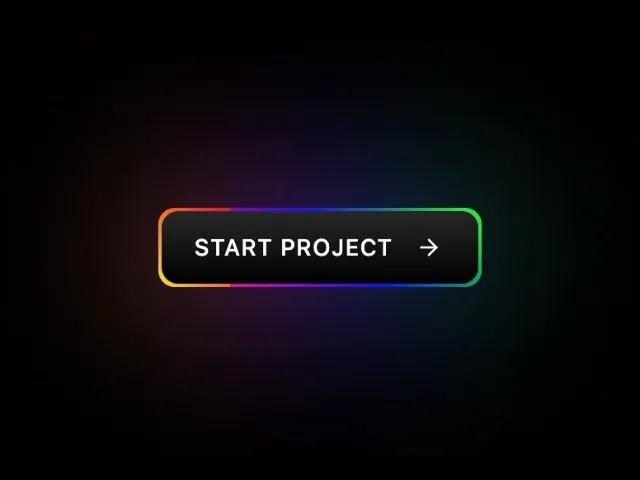 Все промпты
bordergradientanimatedoverlaytailwindcssui-effectbutton
Animated Multi-Color Gradient Border Overlay
CSS/Tailwind-утилиты для создания анимированного градиентного бордера-оверлея. Улучшает карточки, кнопки, секции, баннеры динамичным акцентом.
Prompt
<button class="group relative inline-flex gap-3 uppercase transition-all cursor-pointer text-sm font-medium text-white tracking-wider opacity-100 border-transparent border-2 rounded-xl items-center justify-center" style="padding: 12px 20px; background: linear-gradient(0deg, #000, #272727); border-radius: 10px; border: none; color: white; position: relative; cursor: pointer; font-weight: 900; transition-duration: .2s;">
  <div class="absolute left-0 top-0 w-full h-full rounded-xl pointer-events-none" style="left: -2px; top: -2px; border-radius: 10px; background: linear-gradient(45deg, #fb0094, #0000ff, #00ff00, #ffff00, #ff0000, #fb0094, #0000ff, #00ff00, #ffff00, #ff0000); background-size: 400%; width: calc(100% + 4px); height: calc(100% + 4px); z-index: -1; animation: steam 20s linear infinite;"></div>
  <div class="absolute left-0 top-0 w-full h-full rounded-xl pointer-events-none" style="left: -2px; top: -2px; border-radius: 10px; background: linear-gradient(45deg, #fb0094, #0000ff, #00ff00, #ffff00, #ff0000, #fb0094, #0000ff, #00ff00, #ffff00, #ff0000); background-size: 400%; width: calc(100% + 4px); height: calc(100% + 4px); z-index: -1; animation: steam 20s linear infinite; filter: blur(50px);"></div>
  <span class="relative z-30 font-medium">Start project</span>
  <span class="relative flex h-5 w-5 items-center justify-center z-30">
    <svg xmlns="http://www.w3.org/2000/svg" width="24" height="24" viewBox="0 0 24 24" fill="none" stroke="currentColor" stroke-width="2" stroke-linecap="round" stroke-linejoin="round" class="h-4 w-4 transition-transform group-hover:translate-x-0.5"><path d="M5 12h14" class=""></path><path d="m12 5 7 7-7 7" class=""></path></svg>
  </span>
  <style>
    @keyframes steam {
      0% {
        background-position: 0 0;
      }
      50% {
        background-position: 400% 0;
      }
      100% {
        background-position: 0 0;
      }
    }
  </style>
</button>