
Все промпты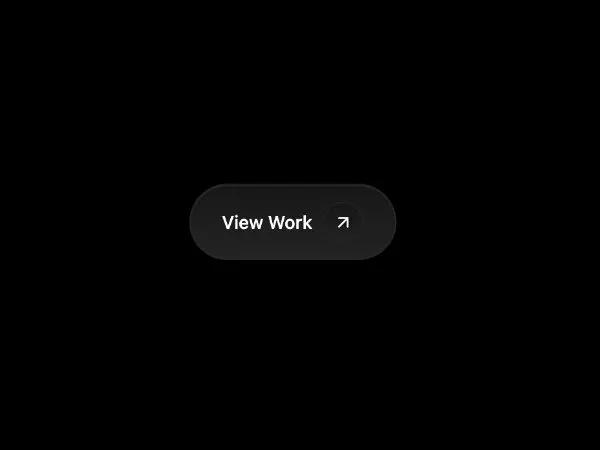 Все промпты
buttonctaicongradienthoveranimatedtailwinddark
Dark Gradient CTA Button with Icon & Hover Effects
Кнопка CTA с темным градиентом, иконкой и анимацией при наведении. Создана с помощью утилитных классов и CSS. Идеально для привлекательных призывов к действию.
Prompt
<a href="#work" class="styled-button inline-flex items-center justify-center transition text-sm font-medium text-white font-geist" style="position: relative; padding: 0.75rem 1.5rem; font-size: 0.875rem; font-weight: 500; color: #ffffff; background: linear-gradient(to bottom, #171717, #242424); border-radius: 9999px; cursor: pointer; box-shadow: 0 2px 4px rgba(0, 0, 0, 1), 0 10px 20px rgba(0, 0, 0, 0.4); transition: all 0.2s ease; border: 1px solid #292929;">
  <style>
    .styled-button::before {
      content: "";
      position: absolute;
      top: -2px;
      right: -1px;
      bottom: -1px;
      left: -1px;
      background: linear-gradient(to bottom, #292929, #000000);
      z-index: -1;
      border-radius: 9999px;
      transition: all 0.2s ease;
      opacity: 1;
    }
    .styled-button:hover {
      background: linear-gradient(to bottom, #1a1a1a, #2a2a2a);
      box-shadow: 0 4px 8px rgba(0, 0, 0, 1), 0 15px 30px rgba(0, 0, 0, 0.6);
    }
    .styled-button:hover::before {
      background: linear-gradient(to bottom, #3a3a3a, #1a1a1a);
    }
    .styled-button:hover .inner-button {
      background: linear-gradient(to bottom, #1d1d1d, #303030);
    }
    .styled-button:hover .inner-button::before {
      background: linear-gradient(to bottom, #3a3a3a, #1a1a1a);
    }
    .styled-button .inner-button {
      position: relative;
      display: flex;
      align-items: center;
      justify-content: center;
      background: linear-gradient(to bottom, #171717, #242424);
      width: 32px;
      height: 32px;
      margin-left: 8px;
      border-radius: 50%;
      box-shadow: 0 0 1px rgba(0, 0, 0, 1);
      border: 1px solid #252525;
      transition: all 0.2s ease;
    }
    .styled-button .inner-button::before {
      content: "";
      position: absolute;
      top: -2px;
      right: -1px;
      bottom: -1px;
      left: -1px;
      background: linear-gradient(to bottom, #292929, #000000);
      z-index: -1;
      border-radius: 9999px;
      transition: all 0.2s ease;
      opacity: 1;
    }
    .styled-button .inner-button .icon {
      filter: drop-shadow(0 10px 20px rgba(26, 25, 25, 0.9)) drop-shadow(0 0 4px rgba(0, 0, 0, 1));
      transition: all 0.4s ease-in-out;
    }
    .styled-button .inner-button .icon:hover {
      filter: drop-shadow(0 10px 20px rgba(50, 50, 50, 1)) drop-shadow(0 0 20px rgba(2, 2, 2, 1));
      transform: rotate(-35deg);
    }
    .styled-button:hover .inner-button::after {
      content: "";
      position: absolute;
      top: 50%;
      left: 50%;
      transform: translate(-50%, -50%);
      width: 100%;
      height: 100%;
      background: radial-gradient(circle at center, rgba(255, 255, 255, 0.05) 0%, transparent 60%);
      border-radius: 50%;
      pointer-events: none;
    }
  </style>
  View Work
  <div class="inner-button">
    <svg xmlns="http://www.w3.org/2000/svg" width="16" height="16" viewBox="0 0 24 24" fill="none" stroke="currentColor" stroke-width="2" stroke-linecap="round" stroke-linejoin="round" class="icon lucide lucide-briefcase w-[16px] h-[16px]" data-icon-replaced="true" data-lucide="arrow-up-right" style="width: 16px; height: 16px; color: rgb(255, 255, 255);"><path d="M7 7h10v10" class=""></path><path d="M7 17 17 7" class=""></path></svg>
  </div>
</a>