Загрузка...
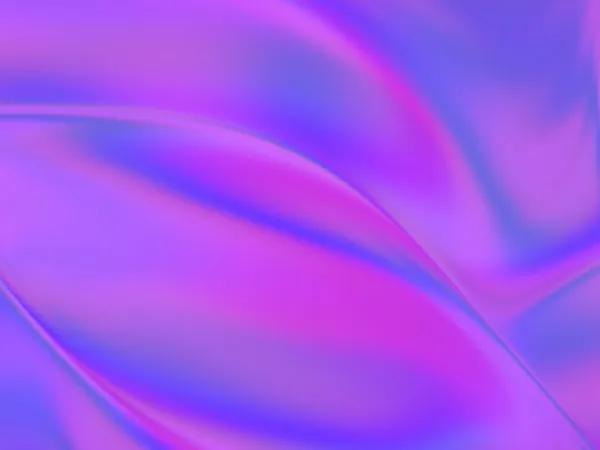
Интерактивный WebGL-шейдер для анимированного переливающегося фона. Отзывчив на движения мыши. Идеален для hero-баннеров и декоративных фонов.
<div class="shader-container absolute inset-0 -z-10">
  <script type="module">
    import { Renderer, Program, Mesh, Color, Triangle } from 'https://cdn.skypack.dev/ogl';

    const vertexShader = `
    attribute vec2 uv;
    attribute vec2 position;
    varying vec2 vUv;
    void main() {
      vUv = uv;
      gl_Position = vec4(position, 0, 1);
    }`;

    const fragmentShader = `
    precision highp float;
    uniform float uTime;
    uniform vec3 uColor;
    uniform vec3 uResolution;
    uniform vec2 uMouse;
    uniform float uAmplitude;
    uniform float uSpeed;
    varying vec2 vUv;
    void main() {
      float mr = min(uResolution.x, uResolution.y);
      vec2 uv = (vUv.xy * 2.0 - 1.0) * uResolution.xy / mr;
      uv += (uMouse - vec2(0.5)) * uAmplitude;
      float d = -uTime * 0.5 * uSpeed;
      float a = 0.0;
      for (float i = 0.0; i < 8.0; ++i) {
        a += cos(i - d - a * uv.x);
        d += sin(uv.y * i + a);
      }
      d += uTime * 0.5 * uSpeed;
      vec3 col = vec3(cos(uv * vec2(d, a)) * 0.6 + 0.4, cos(a + d) * 0.5 + 0.5);
      col = cos(col * cos(vec3(d, a, 2.5)) * 0.5 + 0.5) * uColor;
      gl_FragColor = vec4(col, 1.0);
    }`;

    class IridescenceShader {
        constructor(container, options = {}) {
            this.container = container;
            this.color = options.color || [1, 0.8, 0.9];
            this.speed = options.speed || 1.0;
            this.amplitude = options.amplitude || 0.15;
            this.mouseReact = options.mouseReact !== false;
            this.mousePos = { x: 0.5, y: 0.5 };
            this.init();
        }

        init() {
            this.renderer = new Renderer();
            this.gl = this.renderer.gl;
            this.gl.clearColor(0, 0, 0, 1);

            this.setupGeometry();
            this.setupEventListeners();
            this.resize();
            this.animate();

            this.container.appendChild(this.gl.canvas);
        }

        setupGeometry() {
            const geometry = new Triangle(this.gl);
            this.program = new Program(this.gl, {
                vertex: vertexShader,
                fragment: fragmentShader,
                uniforms: {
                    uTime: { value: 0 },
                    uColor: { value: new Color(...this.color) },
                    uResolution: { value: new Color(1, 1, 1) },
                    uMouse: { value: new Float32Array([0.5, 0.5]) },
                    uAmplitude: { value: this.amplitude },
                    uSpeed: { value: this.speed },
                },
            });
            this.mesh = new Mesh(this.gl, { geometry, program: this.program });
        }

        setupEventListeners() {
            this.handleResize = this.resize.bind(this);
            this.handleMouseMove = this.onMouseMove.bind(this);

            window.addEventListener('resize', this.handleResize);
            if (this.mouseReact) {
                this.container.addEventListener('mousemove', this.handleMouseMove);
            }
        }

        resize() {
            const rect = this.container.getBoundingClientRect();
            this.renderer.setSize(rect.width, rect.height);
            if (this.program) {
                this.program.uniforms.uResolution.value = new Color(
                    this.gl.canvas.width,
                    this.gl.canvas.height,
                    this.gl.canvas.width / this.gl.canvas.height
                );
            }
        }

        onMouseMove(e) {
            const rect = this.container.getBoundingClientRect();
            const x = (e.clientX - rect.left) / rect.width;
            const y = 1.0 - (e.clientY - rect.top) / rect.height;
            this.mousePos = { x, y };
            this.program.uniforms.uMouse.value[0] = x;
            this.program.uniforms.uMouse.value[1] = y;
        }

        animate(t = 0) {
            this.animationId = requestAnimationFrame(this.animate.bind(this));
            this.program.uniforms.uTime.value = t * 0.001;
            this.renderer.render({ scene: this.mesh });
        }
    }

    document.addEventListener('DOMContentLoaded', () => {
        const container = document.querySelector('.shader-container');
        new IridescenceShader(container, {
            color: [0.8, 0.4, 1],
            speed: 0.6,
            amplitude: 0.12
        });
    });
  </script>
</div>