
Все промпты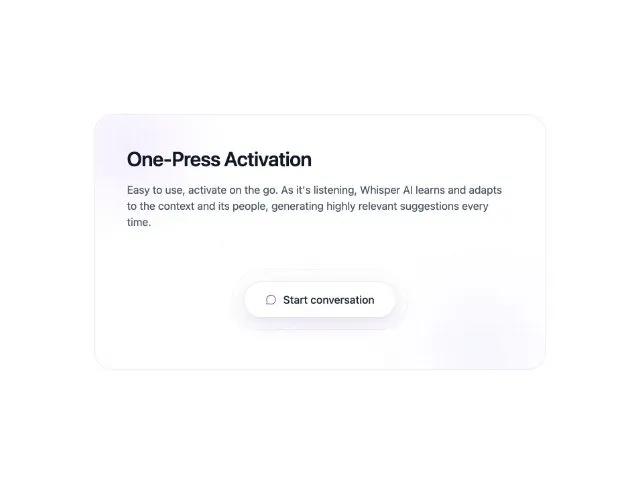 Все промпты
cardglassmorphicctacenteredglow-effectshero-sectionfeature-showcase
One-Press Activation Card
Стеклянная карточка с эффектом свечения и кнопкой CTA. Идеальна для демонстрации функций и главных действий на сайте.
Prompt
<section class="relative w-full max-w-2xl rounded-[28px] bg-white/80 backdrop-blur-xl ring-1 ring-slate-200 shadow-sm overflow-hidden">
  <div class="pointer-events-none absolute inset-0">
    <div class="absolute -top-24 -left-24 h-72 w-72 rounded-full bg-[radial-gradient(closest-side,rgba(124,58,237,0.08),transparent)]"></div>
    <div class="absolute -bottom-32 -right-16 h-80 w-80 rounded-full bg-[radial-gradient(closest-side,rgba(99,102,241,0.06),transparent)]"></div>
    <div class="absolute inset-0 opacity-[0.07] [background-image:radial-gradient(rgba(2,6,23,0.6)_1px,transparent_1px)] [background-size:14px_14px]"></div>
  </div>
  <div class="relative px-8 py-9 sm:px-12 sm:py-12">
    <h2 class="text-2xl sm:text-3xl font-semibold tracking-tight text-slate-900">One‑Press Activation</h2>
    <p class="mt-3 sm:mt-4 text-slate-600 text-sm sm:text-base leading-relaxed">
      Easy to use, activate on the go. As it's listening, Whisper AI learns and adapts to the context and its people, generating highly relevant suggestions every time.
    </p>
    <div class="relative mt-8 sm:mt-12">
      <div class="pointer-events-none absolute inset-0 flex items-center justify-center">
        <div class="relative">
          <div class="absolute -inset-x-20 -inset-y-12 rounded-[999px] bg-[radial-gradient(ellipse_at_center,rgba(168,85,247,0.18),transparent_60%)] blur-md"></div>
          <div class="absolute -inset-x-16 -inset-y-10 rounded-[999px] ring-1 ring-violet-200/40"></div>
        </div>
      </div>
      <div class="relative z-10 mx-auto w-fit rounded-full p-3 bg-gradient-to-b from-white/50 to-white/20">
        <div class="rounded-full p-2.5 bg-white/60 ring-1 ring-slate-200/50">
          <div class="rounded-full p-2 bg-white/40">
            <button class="flex items-center justify-center gap-2.5 rounded-full px-6 sm:px-8 py-3.5 text-slate-800 text-sm sm:text-base font-medium bg-white/95 ring-1 ring-slate-200 shadow-[inset_0_-1px_0_0_rgba(255,255,255,0.9),0_1px_1px_rgba(15,23,42,0.06),0_8px_28px_rgba(76,29,149,0.16)] hover:ring-slate-300 hover:shadow-[inset_0_-1px_0_0_rgba(255,255,255,0.95),0_2px_4px_rgba(15,23,42,0.08),0_16px_36px_rgba(76,29,149,0.22)] transition-all" aria-label="Start conversation">
              <i data-lucide="message-circle" class="w-4 h-4 text-violet-600" style="stroke-width:1.5;"></i>
              <span>Start conversation</span>
            </button>
          </div>
        </div>
      </div>
    </div>
  </div>
  <div class="pointer-events-none absolute inset-0 rounded-[28px] shadow-[0_10px_40px_-12px_rgba(15,23,42,0.15)]"></div>
<script src="https://unpkg.com/lucide@latest"></script>
<script>window.addEventListener('DOMContentLoaded', () => { lucide.createIcons(); });</script>
</section>