
Все промпты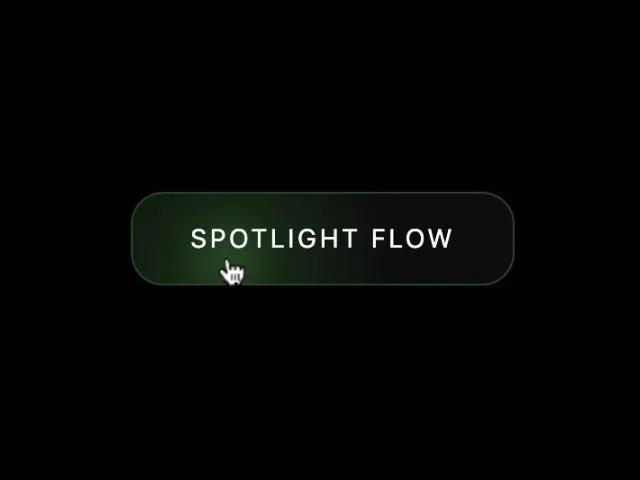 Все промпты
buttoninteractiveanimatedcss
Spotlight Hover Effect Button
Кнопка с эффектом луча прожектора при наведении. UI-компонент для интерактивных CTA-элементов.
Prompt
<style>
/* 19. SPOTLIGHT FIXED VERSION */
.btn-spotlight {
  position: relative;
  display: inline-flex;
  align-items: center;
  justify-content: center;
  padding: 0.9rem 2rem;
  width: 100%;
  background: rgba(20,20,20,0.6);
  border: 1px solid rgba(80,255,80,0.25);
  border-radius: 18px;
  color: #aaa;
  font-size: 0.9rem;
  letter-spacing: 0.12em;
  text-transform: uppercase;
  overflow: hidden;          /* IMPORTANT — hides glow edges */
  transition: color .3s ease;
  backdrop-filter: blur(6px);
}

.btn-spotlight:hover {
  color: #fff;
}

.spotlight-beam {
  position: absolute;
  inset: 0;
  pointer-events: none;
  opacity: 0;
  transition: opacity .35s ease-out;

  /* BIGGER beam for smooth spread */
  background:
    radial-gradient(
      circle at var(--x, 50%) var(--y, 50%),
      rgba(120,255,120,0.25) 0%,
      rgba(80,255,80,0.10) 20%,
      rgba(0,0,0,0.0) 55%
    );
}

.btn-spotlight:hover .spotlight-beam {
  opacity: 1;
}
</style>

<div class="btn-wrapper" style="max-width:260px;">


  <button class="btn-spotlight btn-size-2" id="spotBtn">
    <div class="spotlight-beam"></div>
    <span style="position:relative; pointer-events:none;">SPOTLIGHT FLOW</span>
  </button>
</div>

<script>
/* Mouse-tracking spotlight */
const spotBtn = document.getElementById("spotBtn");

spotBtn.addEventListener("mousemove", (e) => {
  const rect = spotBtn.getBoundingClientRect();
  const x = e.clientX - rect.left;
  const y = e.clientY - rect.top;
  spotBtn.style.setProperty("--x", `${x}px`);
  spotBtn.style.setProperty("--y", `${y}px`);
});
</script>