Загрузка...
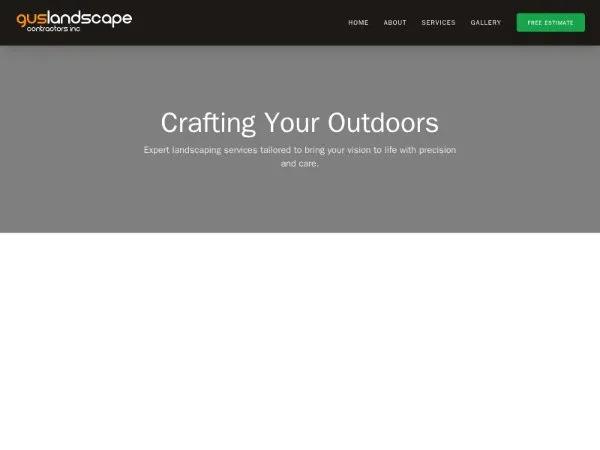
Адаптивная фиксированная навигационная панель с меню для мобильных устройств. Идеально для сайтов с высокой интерактивностью, использует Tailwind CSS.
<div class="navigation-container">
  <style>
    @import url('https://fonts.googleapis.com/css2?family=Inter:wght@400;500;700&display=swap');

    .navigation-container {
      font-family: 'Inter', system-ui, -apple-system, sans-serif;
    }
  </style>
  <nav class="bg-stone-900 border-b border-stone-800 sticky top-0 z-50 shadow-xl">
    <div class="max-w-7xl mx-auto px-4 sm:px-6 lg:px-8">
      <div class="flex justify-between items-center h-24">
        <!-- Logo Section -->
        <div class="flex-shrink-0 flex items-center">
          <a href="#" class="flex items-center">
            <img
              src="https://guslandscapes.com/wp-content/uploads/2022/06/Gus-landscapes-new-logo-white-1.png.webp"
              alt="Gus Landscapes"
              class="h-16 w-auto object-contain transition-transform duration-300 hover:scale-105"
            />
          </a>
        </div>

        <!-- Desktop Navigation -->
        <div class="hidden md:flex items-center space-x-8">
          <a href="#"
            class="text-gray-100 hover:text-green-500 font-medium transition-colors text-sm uppercase tracking-widest">Home</a>
          <a href="#"
            class="text-gray-100 hover:text-green-500 font-medium transition-colors text-sm uppercase tracking-widest">About</a>
          <a href="#"
            class="text-gray-100 hover:text-green-500 font-medium transition-colors text-sm uppercase tracking-widest">Services</a>
          <a href="#"
            class="text-gray-100 hover:text-green-500 font-medium transition-colors text-sm uppercase tracking-widest">Gallery</a>
          <a href="#"
            class="bg-green-600 hover:bg-green-700 text-white px-6 py-3 rounded-md font-bold transition-all transform hover:-translate-y-1 shadow-lg text-xs uppercase tracking-widest">
            Free Estimate
          </a>
        </div>

        <!-- Mobile menu button -->
        <div class="md:hidden flex items-center">
          <button id="mobile-menu-button-comp" type="button" class="inline-flex items-center justify-center p-2 rounded-md text-gray-400 hover:text-white hover:bg-stone-800 focus:outline-none transition-all">
            <svg class="h-8 w-8" fill="none" viewBox="0 0 24 24" stroke="currentColor">
              <path stroke-linecap="round" stroke-linejoin="round" stroke-width="2" d="M4 6h16M4 12h16m-7 6h7" />
            </svg>
          </button>
        </div>
      </div>
    </div>

    <!-- Mobile Menu -->
    <div id="mobile-menu-comp" class="hidden md:hidden bg-stone-900 border-t border-stone-800">
      <div class="px-2 pt-2 pb-3 space-y-1 sm:px-3">
        <a href="#" class="block px-3 py-4 text-gray-100 hover:bg-green-600 rounded-md text-base font-medium">Home</a>
        <a href="#" class="block px-3 py-4 text-gray-100 hover:bg-green-600 rounded-md text-base font-medium">About</a>
        <a href="#"
          class="block px-3 py-4 text-gray-100 hover:bg-green-600 rounded-md text-base font-medium">Services</a>
        <a href="#"
          class="block px-3 py-4 text-gray-100 hover:bg-green-600 rounded-md text-base font-medium">Gallery</a>
        <a href="#" class="block px-3 py-4 text-green-400 font-bold uppercase tracking-widest">Free Estimate</a>
      </div>
    </div>

    <script>
      (function() {
        const btn = document.getElementById('mobile-menu-button-comp');
        const menu = document.getElementById('mobile-menu-comp');
        if (btn && menu) {
          btn.addEventListener('click', () => {
            menu.classList.toggle('hidden');
          });
        }
      })();
    </script>
  </nav>
</div>