Загрузка...
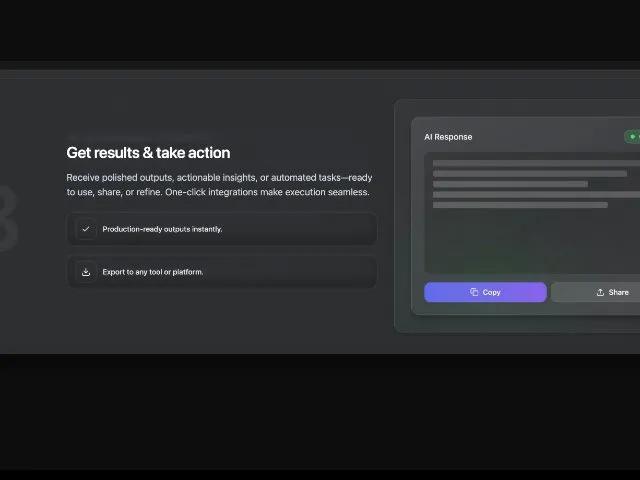
Секция 'Как это работает' с 3 шагами, анимированными карточками и эффектом sticky. Идеально для лендингов SaaS и продуктов для демонстрации процессов.
<div
class="shadow-black/30 bg-white/5 border-white/10 border rounded-3xl mt-12 mb-20 pt-12 pr-8 pb-12 pl-8 shadow-2xl backdrop-blur-sm">
<!-- Header -->
<div class="text-center mb-8 sm:mb-10 top-4 z-50">
<div
class="inline-flex items-center gap-2 rounded-full border border-white/10 bg-white/5 px-3.5 py-1.5 text-xs text-white/80 mx-auto backdrop-blur-md">
<svg xmlns="http://www.w3.org/2000/svg" width="20" height="20" viewBox="0 0 24 24" fill="none"
stroke="currentColor" stroke-width="2" stroke-linecap="round" stroke-linejoin="round" class="h-3.5 w-3.5">
<path d="M14 17H5" class=""></path>
<path d="M19 7h-9" class=""></path>
<circle cx="17" cy="17" r="3" class=""></circle>
<circle cx="7" cy="7" r="3" class=""></circle>
</svg>
<span>How it works</span>
</div>
<h2 class="sm:text-5xl lg:text-6xl text-4xl font-semibold text-white tracking-tight mt-3">How our AI assistant helps
you in just 3 simple steps</h2>
</div>
<!-- Sticky Stack Container -->
<div class="relative" style="min-height: 2400px">
<!-- Step 1 Card -->
<div class="sticky mb-8 top-32">
<div
class="shadow-black/30 sm:pd2e32]/95 border-white/10 border rounded-3xl pt-4 pr-4 pb-4 pl-4 shadow-2xl backdrop-blur-sm">
<div class="grid grid-cols-1 lg:grid-cols-12 lg:gap-8 gap-8 items-center">
<div class="lg:col-span-2 flex items-center justify-center">
<span class="text-[180px] leading-none font-semibold tracking-tight text-white/5 select-none">1</span>
</div>
<div class="lg:col-span-5">
<h3 class="sm:text-3xl text-2xl font-semibold text-white tracking-tight">Start the conversation</h3>
<p class="sm:text-lg text-base text-slate-300 mt-4">Simply type your question, request, or idea — no
complicated syntax or commands needed.
Whether it’s “Draft a follow-up email,” “Summarize my meeting notes,” or “Plan this week’s tasks,” the
assistant understands your intent instantly.</p>
<div class="mt-6 flex flex-col gap-4">
<div
class="inline-flex text-sm text-slate-200 w-full max-w-full border-white/10 border rounded-2xl px-4 py-3 shadow-sm gap-3 items-center"
style="box-shadow: inset 0 -12px 24px rgba(0,0,0,0.25), inset 0 1px 0 rgba(255,255,255,0.04)">
<span class="inline-flex items-center justify-center shrink-0 w-10 h-10 ring-white/10 ring-1 rounded-xl">
<svg xmlns="http://www.w3.org/2000/svg" width="18" height="18" viewBox="0 0 24 24" fill="none" stroke="currentColor" stroke-width="2" stroke-linecap="round" stroke-linejoin="round" class="h-4.5 w-4.5 text-white/90"><circle cx="12" cy="12" r="10" class=""></circle><path d="M12 2a14.5 14.5 0 0 0 0 20 14.5 14.5 0 0 0 0-20" class=""></path><path d="M2 12h20" class=""></path></svg>
</span>
<span class="font-medium tracking-[-0.01em]">Type naturally — it understands plain language like a real teammate.</span>
</div>
<div
class="inline-flex text-sm text-slate-200 w-full max-w-full border-white/10 border rounded-2xl px-4 py-3 shadow-sm gap-3 items-center"
style="box-shadow: inset 0 -12px 24px rgba(0,0,0,0.25), inset 0 1px 0 rgba(255,255,255,0.04)">
<span class="inline-flex items-center justify-center shrink-0 w-10 h-10 ring-white/10 ring-1 rounded-xl">
<svg xmlns="http://www.w3.org/2000/svg" width="18" height="18" viewBox="0 0 24 24" fill="none" stroke="currentColor" stroke-width="2" stroke-linecap="round" stroke-linejoin="round" class="h-4.5 w-4.5 text-white/90"><path d="M13.4 2H6a2 2 0 0 0-2 2v16a2 2 0 0 0 2 2h12a2 2 0 0 0 2-2v-7.4" class=""></path><path d="M2 6h4" class=""></path><path d="M2 10h4" class=""></path><path d="M2 14h4" class=""></path><path d="M2 18h4" class=""></path><path d="M21.378 5.626a1 1 0 1 0-3.004-3.004l-5.01 5.012a2 2 0 0 0-.506.854l-.837 2.87a.5.5 0 0 0 .62.62l2.87-.837a2 2 0 0 0 .854-.506z" class=""></path></svg>
</span>
<span class="font-medium tracking-[-0.01em]">Smart prompts — get quick suggestions to refine your request.</span>
</div>
</div>
</div>
<div class="lg:col-span-5 relative">
<style>
@keyframes floatBadge {
0%,
100% {
transform: translateY(0px);
}
50% {
transform: translateY(-8px);
}
}
@keyframes slideInFromTop {
from {
transform: translateY(-20px);
opacity: 0;
}
to {
transform: translateY(0);
opacity: 1;
}
}
@keyframes slideInFromBottom {
from {
transform: translateY(20px);
opacity: 0;
}
to {
transform: translateY(0);
opacity: 1;
}
}
@keyframes pulse {
0%,
100% {
opacity: 1;
}
50% {
opacity: 0.7;
}
}
</style>
<div
class="relative overflow-hidden rounded-2xl border border-white/10 bg-white/[0.03] shadow-lg aspect-[4/3]">
<div class="opacity-20 absolute inset-0" style="background-image: linear-gradient(0deg, rgba(255,255,255,0.06) 1px, rgba(0,0,0,0) 1px), linear-gradient(90deg, rgba(255,255,255,0.06) 1px, rgba(0,0,0,0) 1px); background-size: 48</div>
<div class=" pointer-events-none="" absolute="" inset-0="" rounded-2xl="" ring-1="" ring-white=""
10"=""></div>
<div class="absolute left-8 right-8 top-10" style="animation: slideInFromTop 0.6s ease-out 0.2s both;">
<div
class="rounded-2xl border border-white/10 bg-white/[0.04] backdrop-blur-md px-5 py-4 shadow-black/30 shadow-lg">
<div class="flex items-center gap-3">
<div class="h-8 w-8 rounded-full ring-1 ring-white/15 flex items-center justify-center"
style="background: radial-gradient(60% 60% at 50% 50%, rgba(139,92,246,.35), rgba(99,102,241,.35)); animation: pulse 2s ease-in-out infinite;">
<span class="text-xs font-medium text-white/90">D</span>
</div>
<span class="text-sm sm:text-base font-medium tracking-[-0.01em] text-slate-200">Devgent</span>
</div>
</div>
</div>
<div class="absolute left-8 right-8 bottom-8"
style="animation: slideInFromBottom 0.6s ease-out 0.4s both;">
<div
class="rounded-2xl border border-white/10 bg-black/40 backdrop-blur-md px-5 py-4 shadow-lg shadow-black/40"
style="animation: floatBadge 3s ease-in-out infinite;">
<div class="flex items-start justify-between gap-4">
<p class="text-slate-200 text-base sm:text-lg leading-snug">
How do I open a Devgenth Landing page design?
</p>
<div class="flex items-center gap-2 shrink-0">
<button class="h-flex items-center justify-center rounded-full bg-white/5 ring-1 ring-white/10 transition-all hover:bg-white/10 hover:scale-110">
<svg xmlns="http://www.w3.org/2000/svg" width="18" height="18" viewBox="0 0 24 24" fill="none" stroke="currentColor" stroke-width="2" stroke-linecap="round" stroke-linejoin="round" class="text-white/80 h-4.5 w-4.5"><path d="M12 19v3" class=""></path><path d="M19 10v2a7 7 0 0 1-14 0v-2" class=""></path><rect x="9" y="2" width="6" height="13" rx="3" class=""></rect></svg>
</button>
<button class="h-8 w-8 inline-flex items-center justify-center rounded-full bg-white/5 ring-1 ring-white/10 transition-all hover:bg-white/10 hover:scale-110">
<svg xmlns="http://www.w3.org/2000/svg" width="18" height="18" viewBox="0 0 24 24" fill="none" stroke="currentColor" stroke-width="2" stroke-linecap="round" stroke-linejoin="round" class="text-white/80 h-4.5 w-4.5"><path d="M14.536 21.686a.5.5 0 0 0 .937-.024l6.5-19a.496.496 0 0 0-.635-.635l-19 6.5a.5.5 0 0 0-.024.937l7.93 3.18a2 2 0 0 1 1.112 1.11z" class=""></path><path d="m21.854 2.147-10.94 10.939" class=""></path></svg>
</button>
</div>
</div>
</div>
</div>
<div class="pointer-events-none absolute -inset-1 rounded-2xl opacity-60 blur-xl"
style="background: radial-gradient(60% 60% at 70% 20%, rgba(99,102,241,.18), rgba(217,70,239,0) 70%);">
</div>
</div>
</div>
</div>
</div>
</div>
<!-- Step 2 Card -->
<div class="sticky top-36 mb-8">
<div
class="shadow-black/30 sm:p-10 bg-[#2d2e32]/95 border-white/10 border rounded-3xl pt-4 pr-4 pb-4 pl-4 shadow-2xl backdrop-blur-sm">
<div class="grid grid-cols-1 lg:grid-cols-12 lg:gap-8 gap-8 items-center">
<div class="lg:col-span-2 flex items-center justify-center">
<span class="text-[180px] leading-none font-semibold tracking-tight text-white/5 select-none">2</span>
</div>
<div class="lg:col-span-5">
<h3 class="text-2xl sm:text-3xl font-semibold text-white tracking-tight">AI processes instantly</h3>
<p class="text-base sm:text-lg text-slate-300 mt-4">
Our AI analyzes your request, understands context, and generates intelligent responses in seconds—pulling
from knowledge bases and workflows.
</p>
<div class="mt-6 flex flex-col gap-4">
<div
class="inline-flex text-sm text-slate-200 w-full max-w-full border-white/10 border rounded-2xl px-4 py-3 shadow-sm gap-3 items-center"
style="box-shadow: inset 0 -12px 24px rgba(0,0,0,0.25), inset 0 1px 0 rgba(255,255,255,0.04)">
<span class="inline-flex items-center justify-center shrink-0 w-10 h-10 rounded-xl ring-white/10 ring-1">
<svg xmlns="http://www.w3.org/2000/svg" width="18" height="18" viewBox="0 0 24 24" fill="none" stroke="currentColor" stroke-width="2" stroke-linecap="round" stroke-linejoin="round" class="h-4.5 w-4.5 text-white/90"><circle cx="12" cy="12" r="1" class=""></circle><circle cx="12" cy="5" r="1" class=""></circle><circle cx="12" cy="19" r="1" class=""></circle></svg>
</span>
<span class="font-medium tracking-[-0.01em]">Context-aware responses every time.</span>
</div>
<div
class="inline-flex text-sm text-slate-200 w-full max-w-full border-white/10 border rounded-2xl px-4 py-3 shadow-sm gap-3 items-center"
style="box-shadow: inset 0 -12px 24px rgba(0,0,0,0.25), inset 0 1px 0 rgba(255,255,255,0.04)">
<span class="inline-flex items-center justify-center shrink-0 w-10 h-10 ring-white/10 ring-1 rounded-xl">
<svg xmlns="http://www.w3.org/2000/svg" width="18" height="18" viewBox="0 0 24 24" fill="none" stroke="currentColor" stroke-width="2" stroke-linecap="round" stroke-linejoin="round" class="h-4.5 w-4.5 text-white/90"><polyline points="22 12 18 12 15 21 9 3 6 12 2 12" class=""></polyline></svg>
</span>
<span class="font-medium tracking-[-0.01em]">Real-time learning from your workflows.</span>
</div>
</div>
</div>
<div class="lg:col-span-5 relative">
<style>
@keyframes spin {
from {
transform: rotate(0deg);
}
to {
transform: rotate(360deg);
}
}
@keyframes progressGrow {
from {
width: 0%;
}
to {
width: 65%;
}
}
@keyframes scaleIn {
from {
transform: scale(0.8);
opacity: 0;
}
to {
transform: scale(1);
opacity: 1;
}
}
</style>
<div
class="relative overflow-hidden rounded-2xl border border-white/10 bg-white/[0.03] shadow-lg aspect-[4/3]">
<div class="opacity-20 absolute inset-0"
style="background-image: linear-gradient(0deg, rgba(255,255,255,0.06) 1px, rgba(0,0,0,0) 1px), linear-gradient(90deg, rgba(255,255,255,0.06) 1px, rgba(0,0,0,0) 1px); background-size: 48px 48px">
</div>
<div class="pointer-events-none absolute inset-0 rounded-2xl ring-1 ring-white/10"></div>
<div class="absolute inset-8 flex items-center justify-center">
<div
class="rounded-2xl border border-white/10 bg-gradient-to-br from-white/10 via-white/5 to-white/10 backdrop-blur-md px-8 py-12 shadow-black/30 shadow-lg w-full"
style="animation: scaleIn 0.5s ease-out;">
<div class="flex flex-col items-center gap-6">
<div class="relative">
<div
class="h-16 w-16 rounded-full ring-2 ring-white/20 flex items-center justify-center animate-pulse"
style="background: radial-gradient(60% 60% at 50% 50%, rgba(139,92,246,.5), rgba(99,102,241,.5));">
<svg xmlns="http://www.w3.org/2000/svg" width="32" height="32" viewBox="0 0 24 24" fill="none"
stroke="currentColor" stroke-width="2" stroke-linecap="round" stroke-linejoin="round"
class="text-white" style="animation: spin 2s linear infinite;">
<path d="M12 2v4" class=""></path>
<path d="m16.2 7.8 2.9-2.9" class=""></path>
<path d="M18 12h4" class=""></path>
<path d="m16.2 16.2 2.9 2.9" class=""></path>
<path d="M12 18v4" class=""></path>
<path d="m4.9 19.1 2.9-2.9" class=""></path>
<path d="M2 12h4" class=""></path>
<path d="m4.9 4.9 2.9 2.9" class=""></path>
</svg>
</div>
</div>
<div class="text-center">
<p class="text-white/90 text-lg font-medium">Processing...</p>
<p class="text-slate-300 text-sm mt-2">Analyzing your request</p>
</div>
<div class="w-full bg-white/10 rounded-full h-2 overflow-hidden">
<div class="bg-gradient-to-r from-indigo-500 to-violet-500 h-full rounded-full"
style="width: 65%; animation: progressGrow 2s ease-out;"></div>
</div>
</div>
</div>
</div>
<div class="pointer-events-none absolute -inset-1 rounded-2xl opacity-60 blur-xl"
style="background: radial-gradient(60% 60% at 50% 50%, rgba(139,92,246,.22), rgba(217,70,239,0) 70%);">
</div>
</div>
</div>
</div>
</div>
</div>
<!-- Step 3 Card -->
<div class="sticky top-40">
<div
class="shadow-black/30 sm:p-10 bg-[#2d2e32]/95 border-white/10 border rounded-3xl pt-4 pr-4 pb-4 pl-4 shadow-2xl backdrop-blur-sm">
<div class="grid grid-cols-1 lg:grid-cols-12 lg:gap-8 gap-8 items-center">
<div class="lg:col-span-2 flex items-center justify-center">
<span class="text-[180px] leading-none font-semibold tracking-tight text-white/5 select-none">3</span>
</div>
<div class="lg:col-span-5">
<h3 class="text-2xl sm:text-3xl font-semibold text-white tracking-tight">Get results & take action</h3>
<p class="text-base sm:text-lg text-slate-300 mt-4">
Receive polished outputs, actionable insights, or automated tasks—ready to use, share, or refine.
One-click integrations make execution seamless.
</p>
<div class="mt-6 flex flex-col gap-4">
<div
class="inline-flex text-sm text-slate-200 w-full max-w-full border-white/10 border rounded-2xl px-4 py-3 shadow-sm gap-3 items-center"
style="box-shadow: inset 0 -12px 24px rgba(0,0,0,0.25), inset 0 1px 0 rgba(255,255,255,0.04)">
<span class="inline-flex items-center justify-center shrink-0 w-10 h-10 rounded-xl ring-white/10 ring-1">
<svg xmlns="http://www.w3.org/2000/svg" width="18" height="18" viewBox="0 0 24 24" fill="none" stroke="currentColor" stroke-width="2" stroke-linecap="round" stroke-linejoin="round" class="h-4.5 w-4.5 text-white/90"><polyline points="20 6 9 17 4 12" class=""></polyline></svg>
</span>
<span class="font-medium tracking-[-0.01em]">Production-ready outputs instantly.</span>
</div>
<div
class="inline-flex text-sm text-slate-200 w-full max-w-full border-white/10 border rounded-2xl px-4 py-3 shadow-sm gap-3 items-center"
style="box-shadow: inset 0 -12px 24px rgba(0,0,0,0.25), inset 0 1px 0 rgba(255,255,255,0.04)">
<span class="inline-flex items-center justify-center shrink-0 w-10 h-10 ring-white/10 ring-1 rounded-xl">
<svg xmlns="http://www.w3.org/2000/svg" width="18" height="18" viewBox="0 0 24 24" fill="none" stroke="currentColor" stroke-width="2" stroke-linecap="round" stroke-linejoin="round" class="h-4.5 w-4.5 text-white/90"><path d="M21 15v4a2 2 0 0 1-2 2H5a2 2 0 0 1-2-2v-4" class=""></path><polyline points="7 10 12 15 17 10" class=""></polyline><line x1="12" x2="12" y1="15" y2="3" class=""></line></svg>
</span>
<span class="font-medium tracking-[-0.01em]">Export to any tool or platform.</span>
</div>
</div>
</div>
<div class="lg:col-span-5 relative">
<style>
@keyframes slideUp {
from {
transform: 0;
}
to {
transform: translateY(0);
opacity: 1;
}
}
@keyframes shimmer {
0% {
opacity: 0.6;
}
50% {
opacity: 1;
}
100% {
opacity: 0.6;
}
}
@keyframes fadeIn {
from {
opacity: 0;
}
to {
opacity: 1;
}
}
</style>
<div
class="relative overflow-hidden rounded-2xl border border-white/10 bg-white/[0.03] shadow-lg aspect-[4/3]">
<div class="opacity-20 absolute inset-0"
style="background-image: linear-gradient(0deg, rgba(255,255,255,0.06) 1px, rgba(0,0,0,0) 1px), linear-gradient(90deg, rgba(255,255,255,0.06) 1px, rgba(0,0,0,0) 1px); background-size: 48px 48px">
</div>
<div class="pointer-events-none absolute inset-0 rounded-2xl ring-1 ring-white/10"></div>
<div class="absolute inset-8">
<div
class="rounded-2xl border border-white/10 bg-gradient-to-br from-white/10 via-white/5 to-white/10 backdrop-blur-md p-6 shadow-black/30 shadow-lg h-full flex flex-col"
style="animation: slideUp 0.6s ease-out;">
<div class="flex items-center justify-between mb-4"
style="animation: fadeIn 0.5s ease-out 0.2s both;">
<span class="text-white/90 font-medium">AI Response</span>
<div
class="inline-flex items-center gap-2 px-3 py-1 rounded-full bg-green-500/20 border border-green-500/30"
style="animation: fadeIn 0.5s ease-out 0.4s both;">
<div class="w-2 h-2 rounded-full bg-green-400" style="animation: pulse 2s ease-in-out infinite;">
</div>
<span class="text-xs text-green-300">Complete</span>
</div>
</div>
<div class="flex-1 bg-black/20 rounded-xl p-4 mb-4 overflow-hidden"
style="animation: fadeIn 0.5s ease-out 0.3s both;">
<div class="space-y-2">
<div class="h-3 bg-white/20 rounded w-full" style="animation: shimmer 2s ease-in-out infinite;">
</div>
<div class="h-3 bg-white/20 rounded w-5/6"
style="animation: shimmer 2s ease-in-out infinite 0.2s;"></div>
<div class="h-3 bg-white/20 rounded w-4/6"
style="animation: shimmer 2s ease-in-out infinite 0.4s;"></div>
<div class="h-3 bg-white/20 rounded w-full"
style="animation: shimmer 2s ease-in-out infinite 0.6s;"></div>
<div class="h-3 bg-white/20 rounded w-3/4"
style="animation: shimmer 2s ease-in-out infinite 0.8s;"></div>
</div>
</div>
<div class="flex gap-2" style="animation: slideUp 0.5s ease-out 0.5s both;">
<button class="flex-1 inline-flex items-center justify-center gap-2 px-4 py-2 rounded-xl bg-gradient-to-r from-indigo-500 to-violet-500 text-white text-sm font-medium transition-all hover:scale-105 hover:shadow-lg hover:shadow-indigo-500/30">
<svg xmlns="http://www.w3.org/2000/svg" width="16" height="16" viewBox="0 0 24 24" fill="none" stroke="currentColor" stroke-width="2" stroke-linecap="round" stroke-linejoin="round" class=""><rect width="14" height="14" x="8" y="8" rx="2" ry="2" class=""></rect><path d="M4 16c-1.1 0-2-.9-2-2V4c0-1.1.9-2 2-2h10c1.1 0 2 .9 2 2" class=""></path></svg>
Copy
</button>
<button class="flex-1 inline-flex items-center justify-center gap-2 px-4 py-2 rounded-xl bg-white/10 text-white text-sm font-medium border border-white/10 transition-all hover:bg-white/15 hover:scale-105">
<svg xmlns="http://www.w3.org/2000/svg" width="16" height="16" viewBox="0 0 24 24" fill="none" stroke="currentColor" stroke-width="2" stroke-linecap="round" stroke-linejoin="round" class=""><path d="M21 15v4a2 2 0 0 1-2 2H5a2 2 0 0 1-2-2v-4" class=""></path><polyline points="17 8 12 3 7 8" class=""></polyline><line x1="12" x2="12" y1="3" y2="15" class=""></line></svg>
Share
</button>
</div>
</div>
</div>
<div class="pointer-events-none absolute -inset-1 rounded-2xl opacity-60 blur-xl"
style="background: radial-gradient(60% 60% at 30% 80%, rgba(34,197,94,.18), rgba(16,185,129,0) 70%);">
</div>
</div>
</div>
</div>
</div>
</div>
</div>
</div>