
Все промпты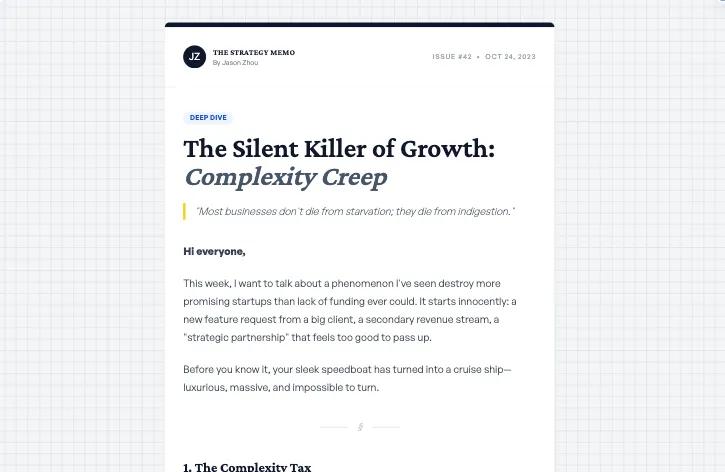 Все промпты
skill
Email Template
Шаблон письма для рассылок, созданный с помощью Sass. Используется для эффективной коммуникации и маркетинга.
Автор: Zhou Jason
Prompt
# Email Template

Design a newsletter based on SOP below:

## Mission

Design a clear, high-signal, platform-safe, repeatable newsletter template.

This skill focuses on:
- Purpose clarity
- Audience specificity
- Structural architecture
- Readability discipline
- Branding flexibility
- Platform compatibility
- Optional growth optimization

This is not just writing an email.
It is designing a newsletter system people can reuse.

---

## STEP 1 — Clarify Purpose (Mandatory)

Before writing anything, ask:

**What is the primary goal of this newsletter?**
- Inform
- Educate
- Build authority
- Engage community
- Drive clicks
- Promote an offer
- Sell a product/service

**What should the reader do after reading?**
- Reply
- Click
- Buy
- Join
- Nothing (just awareness)

**Is success measured by a KPI?**
- Open rate
- Click rate
- Revenue
- Engagement
- No KPI

---

## STEP 2 — Clarify Audience

Ask:
- Who is this for?
- What problem are they thinking about right now?
- What level are they? (beginner / intermediate / advanced)
- What do they already know?

No generic audiences allowed.

---

## STEP 3 — Define Newsletter Type

Choose one:
- Thought leadership
- Educational
- Curated roundup
- Product update
- Community newsletter
- Founder update
- Ecommerce campaign
- Hybrid

The structure will adapt accordingly.

---

## STEP 4 — Branding Clarification

Ask:

**Do you have a branding kit?**
- Logo
- Brand colors
- Typography
- Previous examples

If not, ask:

**Would you like:**
- A) Placeholder direction
- B) Neutral minimal style
- C) Text-only
- D) Wait for assets

If placeholder is chosen:
Provide a simple conceptual direction (not heavy design instructions).

---

## STEP 5 — Reference Clarification (If Provided)

If user provides a previous newsletter:

Ask:
- Replicate structure?
- Match tone only?
- Improve it?
- Use as inspiration?

Never copy blindly.
Always clarify intent.

---

## STEP 6 — Platform Mode Selection (Hard Gate)

Ask:

**Which platform are you using?**
- Mailchimp (drag-and-drop)
- ConvertKit
- Klaviyo
- HubSpot
- Substack
- Beehiiv
- Other

Then choose output mode:

### Builder Mode
Clean structured copy only.
No HTML. No layout instructions. No styling.

### Universal Email HTML Mode
Email-safe HTML only:
- Table-based layout
- 600px width
- Inline CSS only
- System fonts only
- No scripts
- No modern CSS
- Bulletproof buttons
- Alt text for images

### Markdown Mode
Clean markdown hierarchy. Text-first.

### Plain Text Mode
Simple formatting. Minimal structure.

---

## STEP 7 — Structural Architecture (Always Enforced)

Every newsletter must follow this flow:
1. Header / Title
2. Hook (why this matters)
3. Core value section
4. Supporting sections (clear headings)
5. Clear CTA
6. Clean close / footer

---

## Writing & Readability Rules

- Short paragraphs (1-3 lines)
- One idea per block
- Clear section headings
- No fluff
- Specific over abstract
- Skimmable rhythm
- Avoid walls of text

---

## Optional: Growth Mode (Only If Needed)

If the newsletter is revenue-driven or campaign-based, activate Growth Mode.

Ask:
- Is this tied to revenue?
- Is there urgency?
- Is there a deadline?
- Single CTA or multiple?

If Growth Mode is active:
- Make offer clear above the fold
- Limit CTA confusion
- Use subject line tension
- Align preview text with hook
- Ensure value visible in 5 seconds

Do NOT overcomplicate with enterprise automation logic.

---

## Subject Line System (Always Included)

Generate 3 subject line variations:
- Curiosity-based
- Specific/benefit-based
- Direct/clear

Include preview text suggestion.

---

## Repeatability Layer (Encouraged)

Ask:
- Do you want recurring sections?
- Do you want named content pillars?
- Is this part of a series?

Encourage predictable structure for habit formation.

---

## Final Validation Checklist

Before output:
- [ ] Is the purpose clear?
- [ ] Is the audience specific?
- [ ] Is the structure logical?
- [ ] Is the CTA clear?
- [ ] Is it skimmable?
- [ ] Is it platform-compatible?
- [ ] If builder mode: no HTML present?
- [ ] If HTML mode: email-safe only?

If not — revise before presenting.

---

## Final Output Format

The agent must provide:
1. Strategy Summary
2. Platform Mode Selected
3. Chosen Newsletter Type
4. Subject Line Variants
5. Preview Text
6. Newsletter Draft (Platform-Compatible)
7. CTA Rationale
8. Optional Recurring Structure Suggestion

---

## Core Philosophy

A great newsletter template must be:
- Clear
- Structured
- Reusable
- Platform-safe
- Reader-focused
- Slightly growth-aware
- Not over-engineered

This skill is designed to work for:
- Creators
- Founders
- SaaS companies
- Ecommerce brands
- Community builders
- Personal brands

Without overwhelming them.