
Все промпты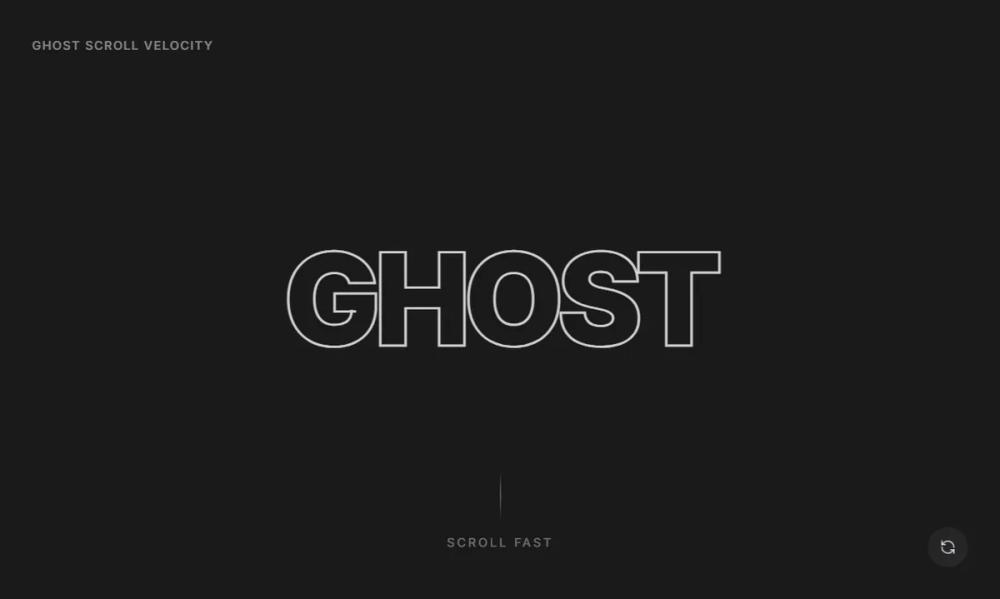 Все промпты
GhostScrollText
GhostScrollText: UI-компонент текста с эффектом призрачного слоя, искажающегося за основным текстом при прокрутке. Создает эффект призрака.
Автор: Zhou JasonЖивое превью
Prompt
# GhostScrollText

You are given a task to integrate an existing React component in the codebase

~~~/README.md
# GhostScrollText

A high-performance scroll interaction component where text generates "ectoplasm" ghost trails based on scroll velocity. The faster you scroll, the more the ghost layers separate, blur, and skew.

## Features

- **Scroll Velocity Driven**: Animation intensity is directly linked to how fast the user scrolls.
- **Performance Optimized**: Uses GSAP `quickSetter` (via context) and optimized render loops for 60fps performance.
- **Dynamic Distortion**: Applies skew and blur filters dynamically.
- **Customizable**: Control sensitivity, ghost count, and snap-back duration.

## Usage

```tsx
import { GhostScrollText } from '@/sd-components/86929e8c-8c61-4b68-989f-12792e27a2d5';

function MyPage() {
  return (
    <div className="h-[200vh]"> {/* Needs scrollable area */}
      <div className="sticky top-0 h-screen flex items-center justify-center bg-slate-900">
        <GhostScrollText
          text="VELOCITY"
          ghostCount={5}
          sensitivity={0.1}
        />
      </div>
    </div>
  );
}
```

## Props

| Prop | Type | Default | Description |
|------|------|---------|-------------|
| `text` | `string` | - | The text to display. |
| `className` | `string` | - | Additional classes for the container. |
| `ghostCount` | `number` | `4` | Number of trailing ghost layers. |
| `sensitivity` | `number` | `0.05` | Multiplier for how far ghosts move per unit of scroll velocity. |
| `snapDuration` | `number` | `0.5` | Duration (in seconds) for ghosts to return to origin when scrolling stops. |

## Dependencies

- `gsap`: Core animation engine.
- `clsx`, `tailwind-merge`: Class utility handling.
~~~

~~~/src/App.tsx
import React from 'react';
import { GhostScrollText } from './Component';
import { RefreshCcw } from 'lucide-react';

export default function App() {
  const handleReplay = () => {
    window.scrollTo({ top: 0, behavior: 'smooth' });
  };

  return (
    <div className="min-h-screen bg-[#1A1A1B] font-sans text-slate-100 selection:bg-slate-700 overflow-x-hidden">
      {/* Tall Scroll Container to allow generating velocity */}
      <div className="h-[400vh] relative">

        {/* Sticky viewport wrapper */}
        <div className="sticky top-0 h-screen w-full flex flex-col items-center justify-center overflow-hidden">

          <div className="absolute top-8 left-8 z-50">
             <span className="text-xs font-medium uppercase tracking-widest opacity-50">Ghost Scroll Velocity</span>
          </div>

          <div className="relative w-full max-w-6xl flex items-center justify-center">
             <GhostScrollText
                text="GHOST"
                ghostCount={5}
                sensitivity={0.08}
             />
          </div>

          <div className="absolute bottom-12 flex flex-col items-center gap-4 opacity-40">
            <div className="w-px h-12 bg-gradient-to-b from-transparent via-white to-transparent" />
            <span className="text-xs uppercase tracking-[0.2em]">Scroll Fast</span>
          </div>

          <button
            onClick={handleReplay}
            className="absolute bottom-8 right-8 p-3 rounded-full bg-white/5 hover:bg-white/10 transition-colors backdrop-blur-sm group z-50"
            aria-label="Scroll to top"
          >
            <RefreshCcw className="w-4 h-4 text-white/70 group-hover:rotate-180 transition-transform duration-500" />
          </button>
        </div>

      </div>

      {/* Scroll indicator content blocks to give sense of movement */}
      <div className="fixed top-0 left-0 w-full h-full pointer-events-none opacity-[0.03] mix-blend-overlay">
         <div className="w-full h-full" style={{ backgroundImage: 'radial-gradient(circle at 50% 50%, #ffffff 1px, transparent 1px)', backgroundSize: '40px 40px' }}></div>
      </div>
    </div>
  );
}
~~~

~~~/package.json
{
  "name": "ghost-scroll-text",
  "version": "1.0.0",
  "description": "A typography component with trailing ghost layers driven by scroll velocity",
  "main": "src/Component.tsx",
  "dependencies": {
    "react": "^18.0.0",
    "react-dom": "^18.0.0",
    "gsap": "^3.12.0",
    "clsx": "^2.0.0",
    "tailwind-merge": "^2.0.0",
    "lucide-react": "^0.292.0"
  }
}
~~~

~~~/src/utils.ts
import { type ClassValue, clsx } from "clsx";
import { twMerge } from "tailwind-merge";

export function cn(...inputs: ClassValue[]) {
  return twMerge(clsx(inputs));
}
~~~

~~~/src/Component.tsx
import React, { useEffect, useRef } from 'react';
import gsap from 'gsap';
import { ScrollTrigger } from 'gsap/ScrollTrigger';
import { cn } from './utils';

gsap.registerPlugin(ScrollTrigger);

interface GhostScrollTextProps {
  text: string;
  className?: string;
  ghostCount?: number;
  sensitivity?: number; // How much they move per unit of velocity
  snapDuration?: number; // Time to return to center
}

export function GhostScrollText({
  text,
  className,
  ghostCount = 4,
  sensitivity = 0.05,
  snapDuration = 0.5,
}: GhostScrollTextProps) {
  const containerRef = useRef<HTMLDivElement>(null);
  const ghostsRef = useRef<(HTMLSpanElement | null)[]>([]);

  useEffect(() => {
    const ghosts = ghostsRef.current;

    // Create a proxy object to hold the current velocity value for smooth interpolation
    const tracker = { velocity: 0 };

    const ctx = gsap.context(() => {
      ScrollTrigger.create({
        trigger: document.body, // Track global scroll
        start: "top top",
        end: "bottom bottom",
        onUpdate: (self) => {
          // Smoothly interpolate the velocity to avoid jitter
          gsap.to(tracker, {
            velocity: self.getVelocity(),
            duration: 0.1,
            overwrite: true,
            onUpdate: () => {
              const vel = tracker.velocity;

              ghosts.forEach((ghost, i) => {
                if (!ghost) return;

                // Calculate lag based on index
                // The deeper the ghost (higher index), the more it moves
                const indexFactor = i + 1;
                const moveY = -vel * sensitivity * indexFactor * 0.5;
                const skewAngle = vel * 0.02; // Skew based on speed

                // Opacity increases with speed, up to a limit
                const speed = Math.abs(vel);
                const opacity = Math.min(speed * 0.0005 * (1 - i * 0.15), 0.6);

                // Blur increases with speed
                const blurAmount = Math.min(speed * 0.01, 10);

                gsap.set(ghost, {
                  y: moveY,
                  skewX: -skewAngle, // Skew opposite to motion for drag effect
                  opacity: opacity,
                  filter: `blur(${blurAmount}px)`,
                });
              });
            }
          });
        },
      });

      // Cleanup mechanism: When scroll stops, ScrollTrigger doesn't fire updates with 0 velocity immediately in all cases
      // So we use a check to snap back if needed, though the tween above handles most of it.
      // We can also add a listener for scroll end to ensure clean snap back
      ScrollTrigger.addEventListener("scrollEnd", () => {
        gsap.to(ghosts, {
          y: 0,
          skewX: 0,
          opacity: 0,
          filter: "blur(0px)",
          duration: snapDuration,
          ease: "power2.out"
        });
      });
    }, containerRef);

    return () => ctx.revert();
  }, [text, ghostCount, sensitivity, snapDuration]);

  return (
    <div
      ref={containerRef}
      className={cn("relative flex items-center justify-center p-8 overflow-visible", className)}
    >
      {/* Main Anchor Text - Outlined */}
      <h1 className="relative z-20 text-9xl font-black tracking-tighter text-transparent select-none transition-colors duration-300 pointer-events-none">
        <span
          className="block leading-none"
          style={{
            WebkitTextStroke: '2px rgba(255,255,255,0.8)',
            textStroke: '2px rgba(255,255,255,0.8)'
          }}
        >
          {text}
        </span>
      </h1>

      {/* Ghost Layers */}
      {Array.from({ length: ghostCount }).map((_, i) => (
        <span
          key={i}
          ref={(el) => (ghostsRef.current[i] = el)}
          className="absolute z-10 text-9xl font-black tracking-tighter text-white select-none pointer-events-none top-1/2 left-1/2 -translate-x-1/2 -translate-y-1/2"
          style={{
            opacity: 0,
            willChange: 'transform, opacity, filter',
            // Default styling
          }}
        >
           <span className="block leading-none">
            {text}
          </span>
        </span>
      ))}
    </div>
  );
}

export default GhostScrollText;
~~~

Implementation Guidelines

1. Analyze the component structure, styling, animation implementations
2. Review the component's arguments and state
3. Think through what is the best place to adopt this component/style into the design we are doing
4. Then adopt the component/design to our current system

Help me integrate this into my design